


Temperature and Humidity Sensor
- Regular price
-
$39.00 CAD - Regular price
-
- Sale price
-
$39.00 CAD
Add the SmartCocoon Temperature and Humidity Sensor to your setup and unlock a whole new level of comfort in the app.
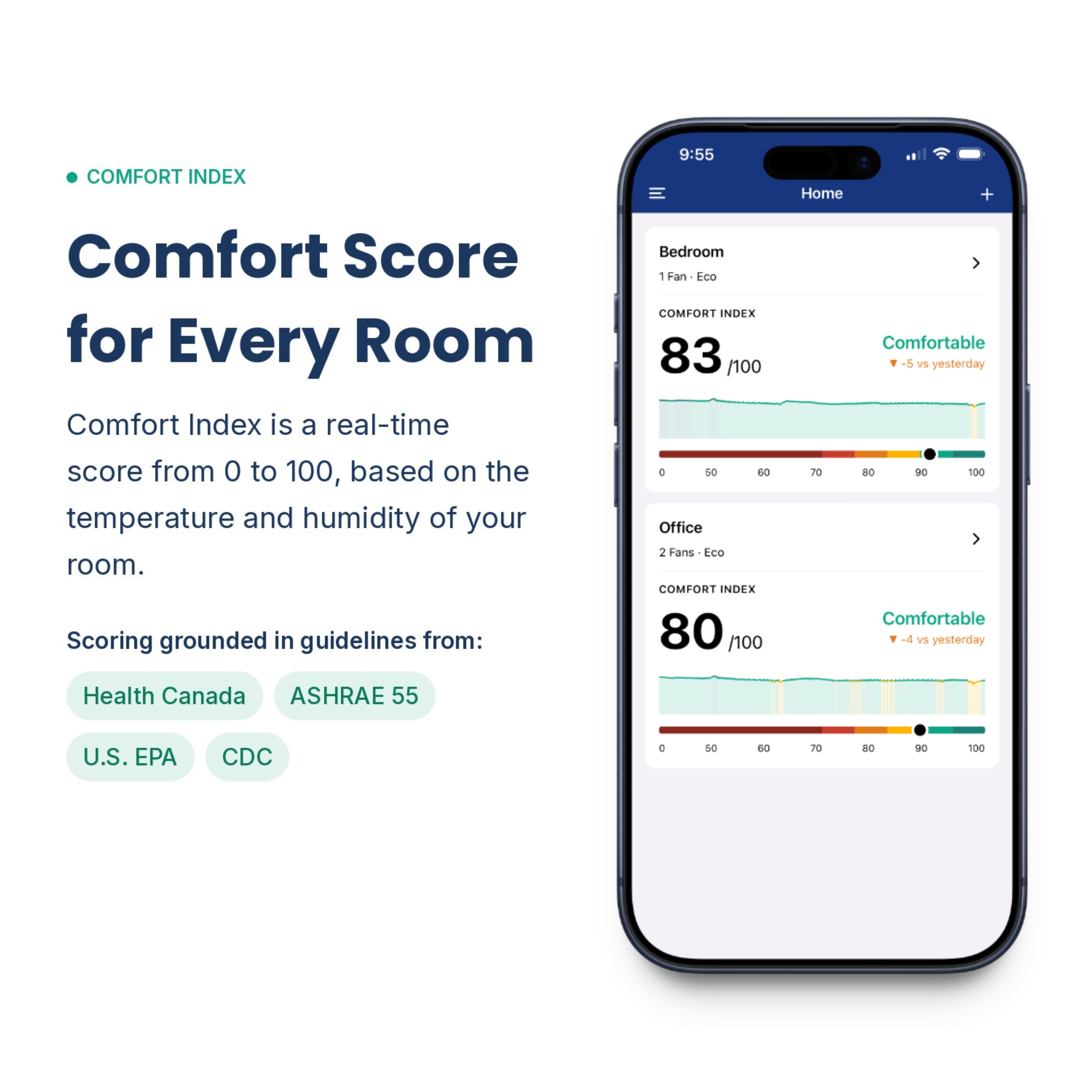
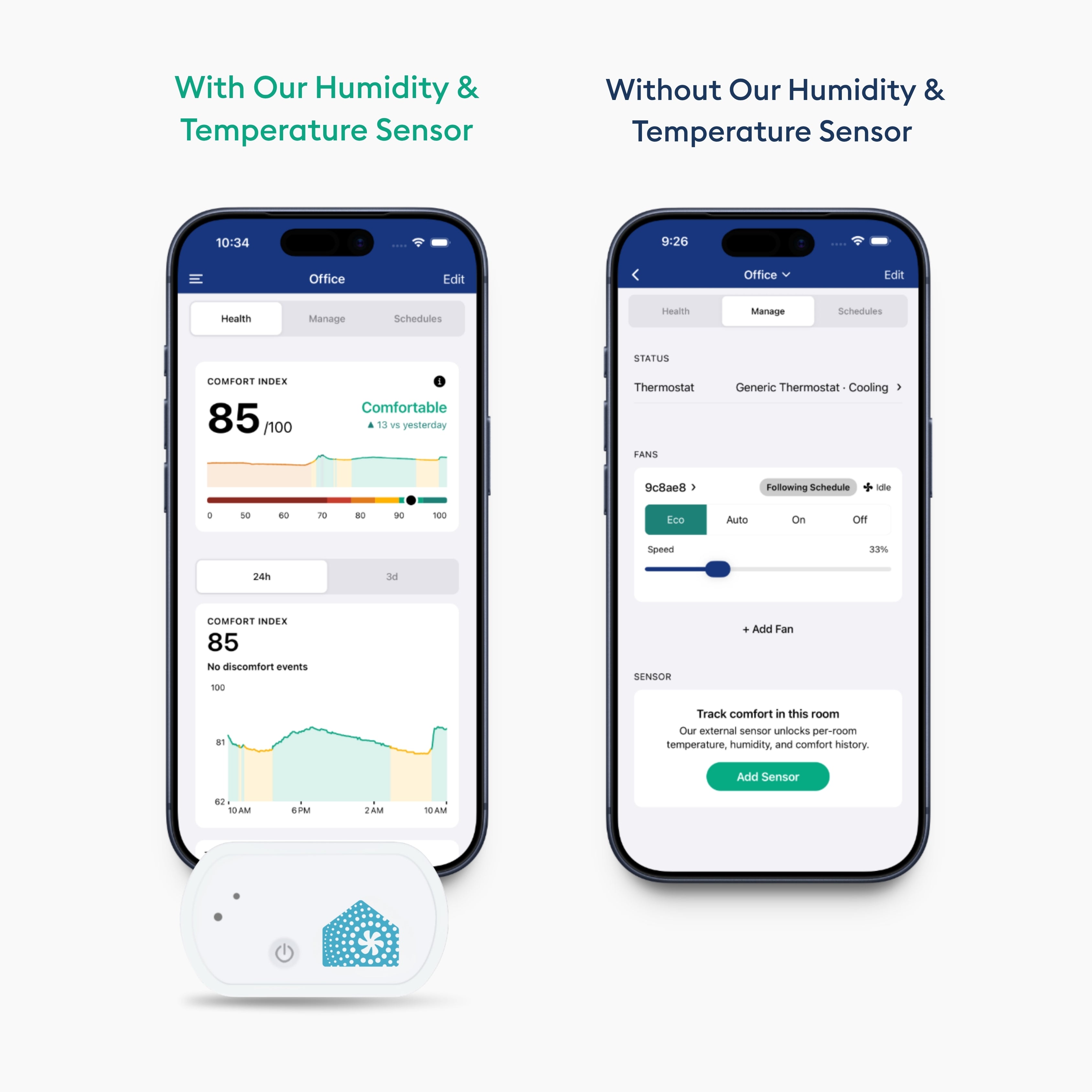
Comfort Index
A real-time score from 0 to 100 based on the temperature and humidity of your room. At a glance, you always know how comfortable your space actually is.
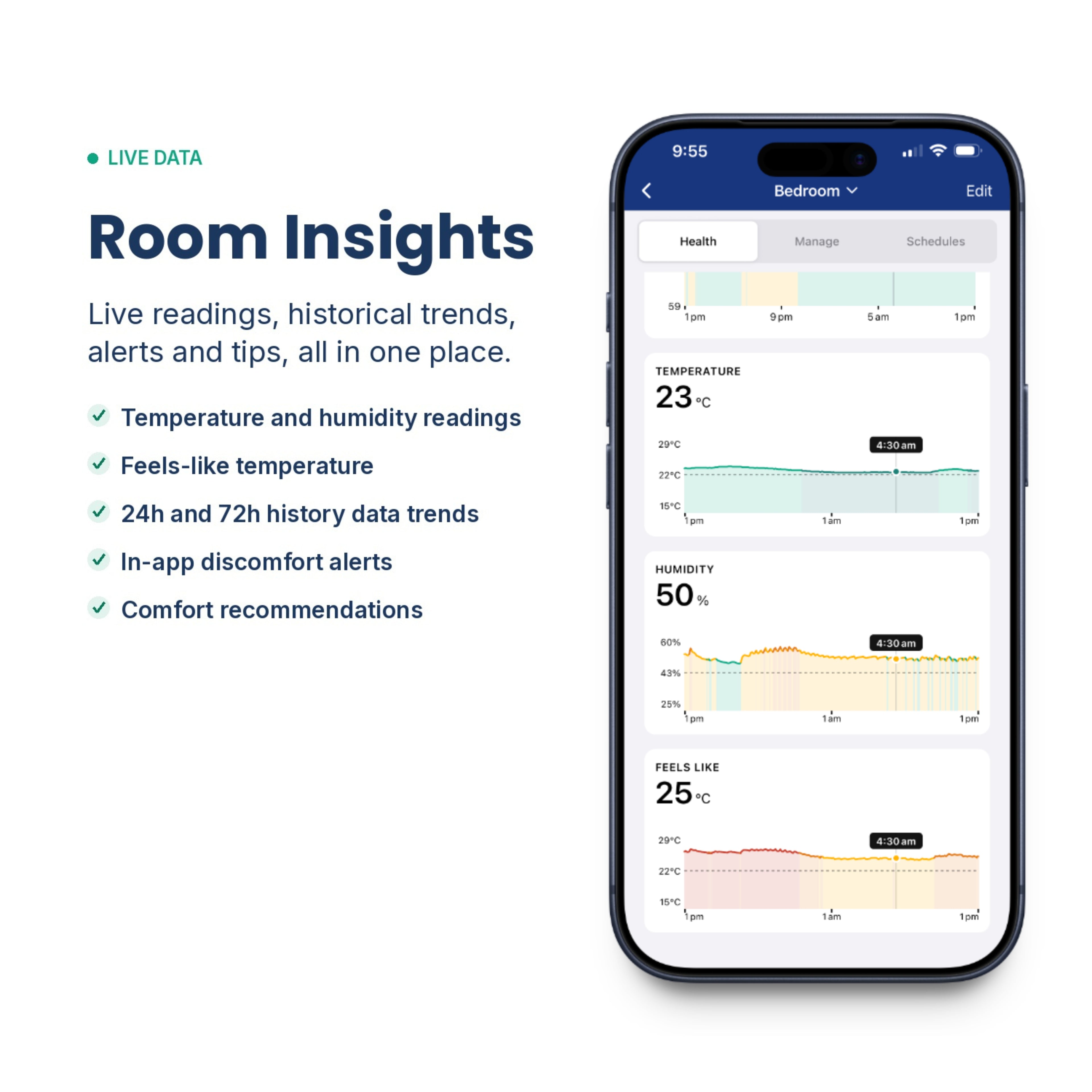
72 Hours of Comfort History
Track temperature, humidity, Feels Like, and Comfort Index trends over the last 24 hours or 3 days, for every room, from anywhere in the world.
Feels Like Temperature
Temperature alone doesn't tell the full story. Humidity affects how air feels in your home. High humidity can make a room feel warmer and stuffier than it actually is, and low humidity can cause dry skin, irritated eyes, and general discomfort. The sensor tracks both so your SmartCocoon fan can help maintain a healthier, more balanced environment year round.
Auto Mode
Set your desired temperature and your fan turns on and off automatically with your HVAC, based on real readings from your room.
In-App Alerts
Receive a notification when your temperature or humidity goes too high or too low, so you can stay on top of your home's air quality before it affects your comfort or health.
Protect Your Home
High humidity doesn't just affect how you feel. Over time, it can cause mould and mildew growth, damage to wood floors, furniture, and walls, and poor air quality that affects your whole household. Keeping tabs on your humidity levels is one of the simplest ways to protect your home and the people in it.
Requires a SmartCocoon booster fan.
What’s included
- One temperature and humidity sensor.
- One double-sided sticker.
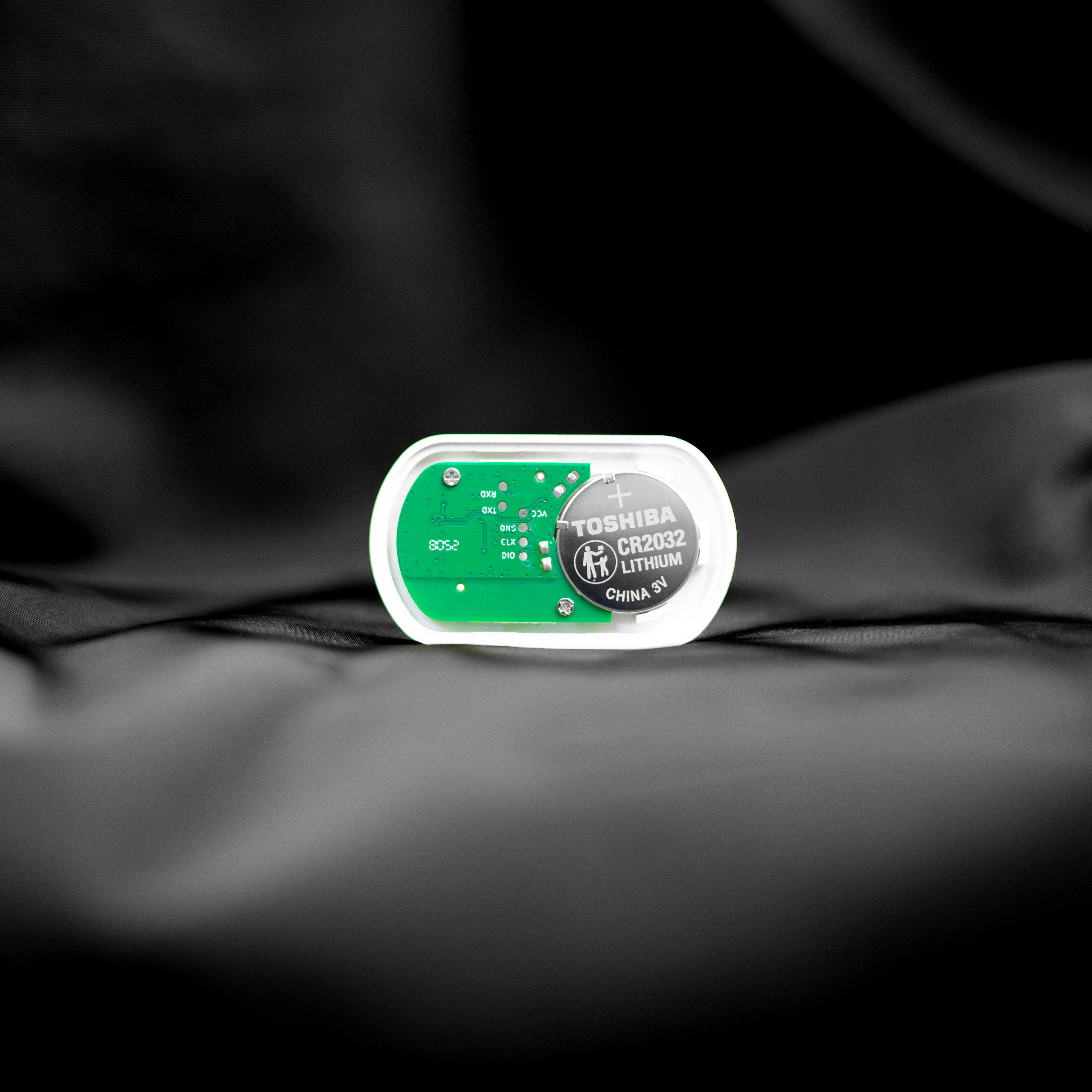
- One Toshiba CR2032 battery, with a lifespan of up to 4 years.
- Instructions.
How to use it
- Update your phone to the latest version of the SmartCocoon app.
- To turn on the sensor, press and hold the power button for 3 to 5 seconds. A green light will flash once.
- To connect your new sensor to your booster fan, open the SmartCocoon app, tap the + button next to External Sensor, and then tap "Start".
- When asked, scan the sensor’s QR code using the SmartCocoon app, then follow the on-screen instructions.
- To turn it off, either tap "Power Off" in the app or press and hold the power button for 5 seconds.
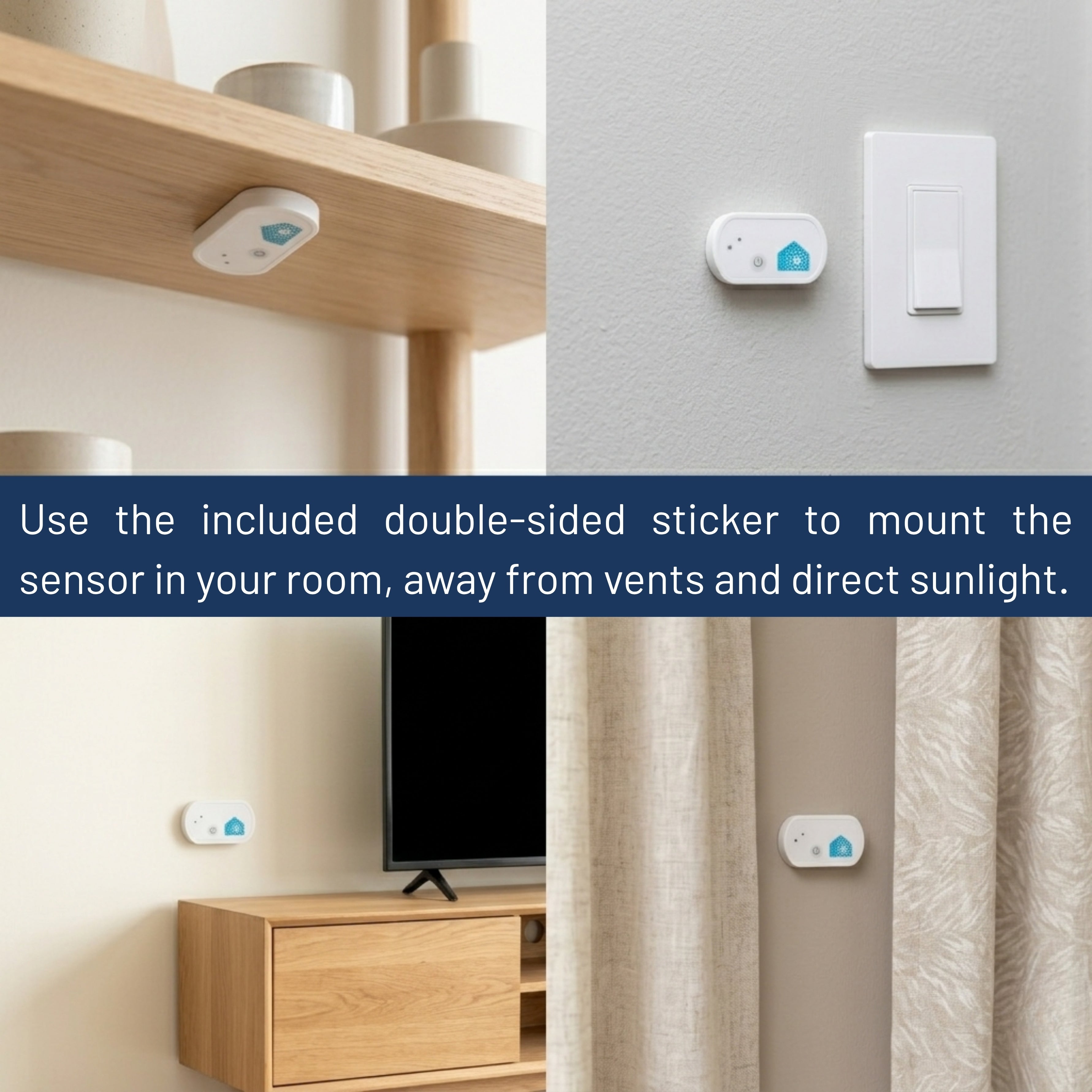
- Use the included double-sided sticker to mount the sensor in your room, away from vents and direct sunlight.
- Please note that the sensor only works if you have a SmartCocoon booster fan.
- If you just installed your booster fan, give it a few minutes for the latest firmware to download.
Where to place it
- Mount the sensor using the included double-sided sticker.
- Place it about 5 ft (1.5 m) off the ground since temperature and humidity can vary near the floor or ceiling.
- Keep it away from heating or cooling vents.
- Avoid direct sunlight.
- Do not place it near windows or doors.
Shipping and Returns
Free shipping and returns on orders above C$25 within Canada and the continental United States.
Warranty
Each sensor comes with a two-year warranty for peace of mind. Please note that the battery is not covered under the warranty.
Couldn't load pickup availability

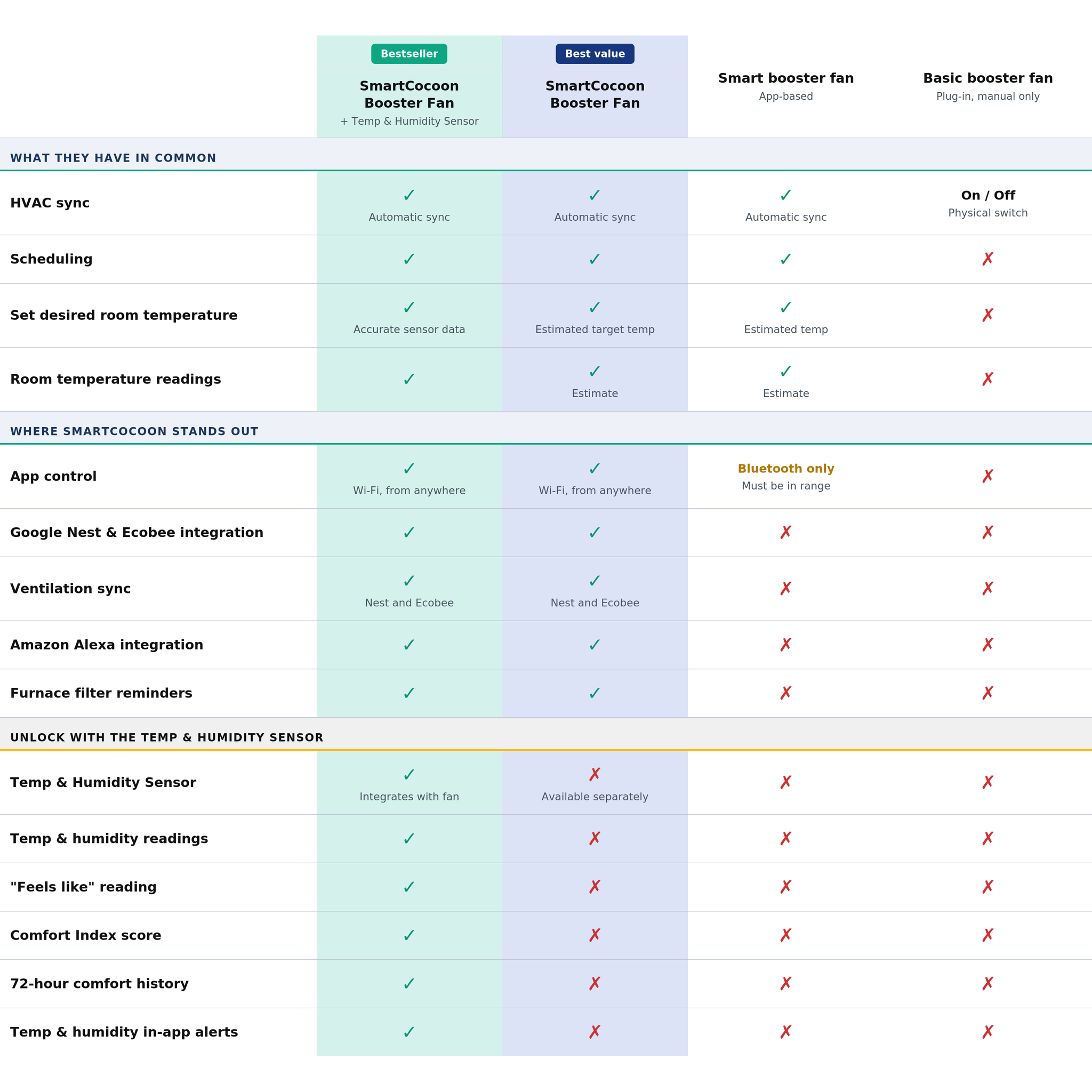


Unlock a New Level of Comfort
|
Bestseller
Best value
SmartCocoon
Booster Fan + Temp & Humidity Sensor
SmartCocoon
Booster Fan |
Smart booster fan
App-based
|
Basic booster fan
Plug-in, manual only
|
||
|---|---|---|---|---|
| What they have in common | ||||
| Works with all thermostats | ✓ | ✓ | ✓ | ✓ |
| HVAC sync | ✓Automatic sync | ✓Automatic sync | ✓Automatic sync | On / OffPhysical switch on unit |
| Internal sensor | ✓Reads duct temperature | ✓Reads duct temperature | ✓Reads duct temperature | ✗ |
| Scheduling | ✓ | ✓ | ✓ | ✗ |
| Set desired room temperature | ✓Fan auto-adjusts to reach your target temp using accurate sensor data | ✓Fan auto-adjusts to reach your estimated target temp | ✓Estimated temperature | ✗ |
| Room temperature readings | ✓ | ✓Estimate | ✓Estimate | ✗ |
| Where SmartCocoon stands out | ||||
| 3×10 and 4×10 sizes | ✓ | ✓ | 4×10 only | 4×10 only |
| App control | ✓Wi-Fi, control from anywhere in the world | ✓Wi-Fi, control from anywhere in the world | Bluetooth onlyMust be in range to control | ✗ |
| Google Nest integration | ✓ | ✓ | ✗ | ✗ |
| Ecobee integration | ✓ | ✓ | ✗ | ✗ |
| Ventilation sync | ✓Yes, for Google Nest and Ecobee | ✓Yes, for Google Nest and Ecobee | ✗ | ✗ |
| Amazon Alexa integration | ✓ | ✓ | ✗ | ✗ |
| Speed levels | ✓12 speeds | ✓12 speeds | Fewer speeds | ✗Fixed speed |
| Furnace filter change reminders | ✓ | ✓ | ✗ | ✗ |
| In-app installation & troubleshooting guides | ✓ | ✓ | ✗ | ✗ |
| Keep your existing vent cover | ✓Installs inside the vent, completely hidden | ✓Installs inside the vent, completely hidden | ✗Replaces your existing cover | ✗Replaces your existing cover |
| Custom wood vent cover | ✓Available for purchase | ✓Available for purchase | ✗ | ✗ |
| Unlock with the Temp & Humidity Sensor | ||||
| Temp & Humidity Sensor | ✓Integrates directly with fan | ✗Available separately | ✗ | ✗ |
| Humidity readings | ✓ | ✗ | ✗ | ✗ |
| "Feels like" reading | ✓ | ✗ | ✗ | ✗ |
| Comfort Index score (0–100) | ✓ | ✗ | ✗ | ✗ |
| 72-hour comfort history | ✓ | ✗ | ✗ | ✗ |
| Temperature & humidity in-app alerts | ✓ | ✗ | ✗ | ✗ |